Everything You Save, Finally in One Place: How Clipfolio Fixed the Scattered Save
Clipfolio is a universal saving app that turns links from any app into visual, organized boards.
The Challenge
Most people already save constantly. The problem is where it all goes.
Screenshots buried in the camera roll, tabs left open on a phone browser, links pasted into a notes app, and posts saved inside whatever platform they happened to be found on. Each of those is a dead end. A month later nobody remembers which app holds the couch they liked. Clipfolio was built for the person who saves the most and retrieves the least, and that set two hard requirements: saving had to work from any app without interrupting anyone, and a save had to succeed even when reading the page behind it failed.
The Solution
Flywheel designed and built Clipfolio as a share-first mobile app for iOS and Android.
Saving happens through the phone’s own share menu, so nobody has to open Clipfolio to save something into it. The item is stored the instant someone taps, and the rest catches up in the background. Everything after that follows the same rule: the app stays useful when something behind it breaks. Boards show whatever has arrived and fill in the rest when it turns up, and sharing is private by default.
One-tap capture from anywhere
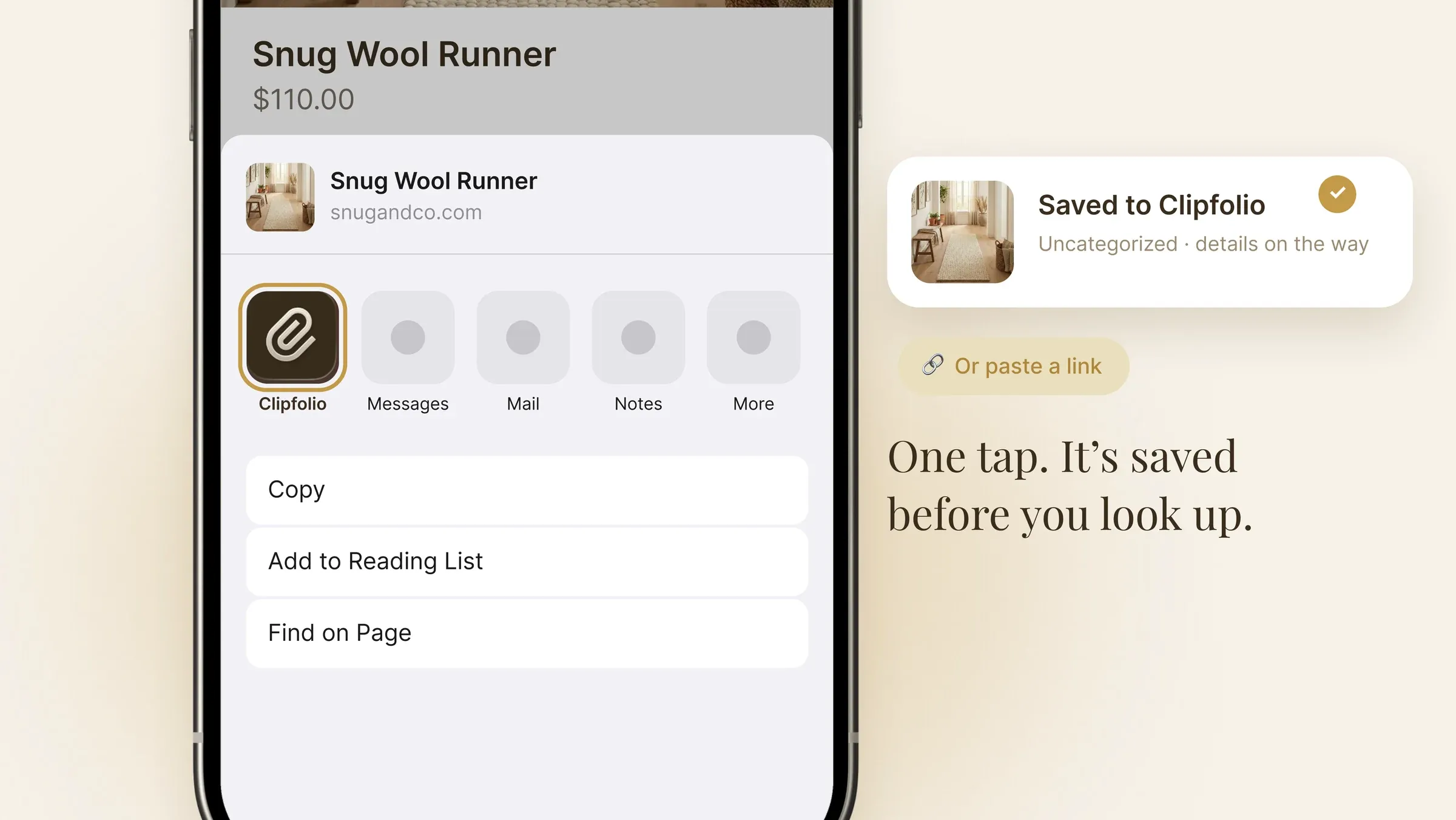
Clipfolio appears in the share menu on both phones, the same way Messages or Notes does. A link from a browser, a shopping app, or a social feed lands in Clipfolio in one tap, with a Paste Link screen for the odd app that will not share properly. The item shows up straight away in an Uncategorized pile, so nobody is stuck watching a spinner or forced to pick a board first.
Details that fill themselves in
Save a link and Clipfolio reads the page for you: the product name, the photo, and where available the price and the store. When the straightforward read comes back empty, an AI step takes a second pass. And when even that fails, the save still works: the link is kept, the item appears with a placeholder, and a title can be typed in by hand.
Boards that look like a collection
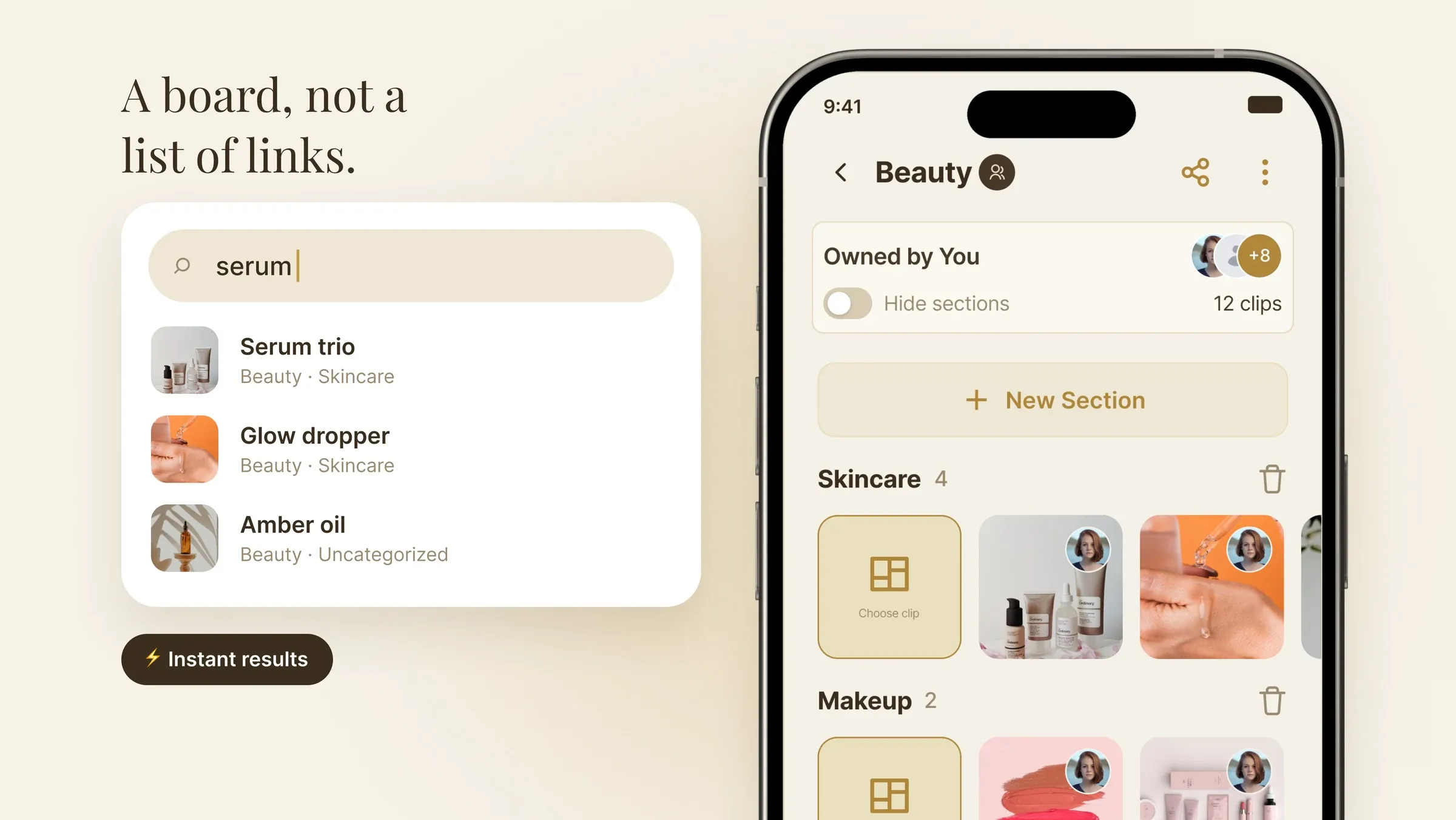
Saved items live in boards the user creates and names. The layout is image-first, with items rendered as tiles rather than rows, so a board reads as a curated set and not a list of URLs. Tapping an item opens editable notes, the price and store, and a link back to the source. Search is instant across every board and item.
Share a board, or build one together
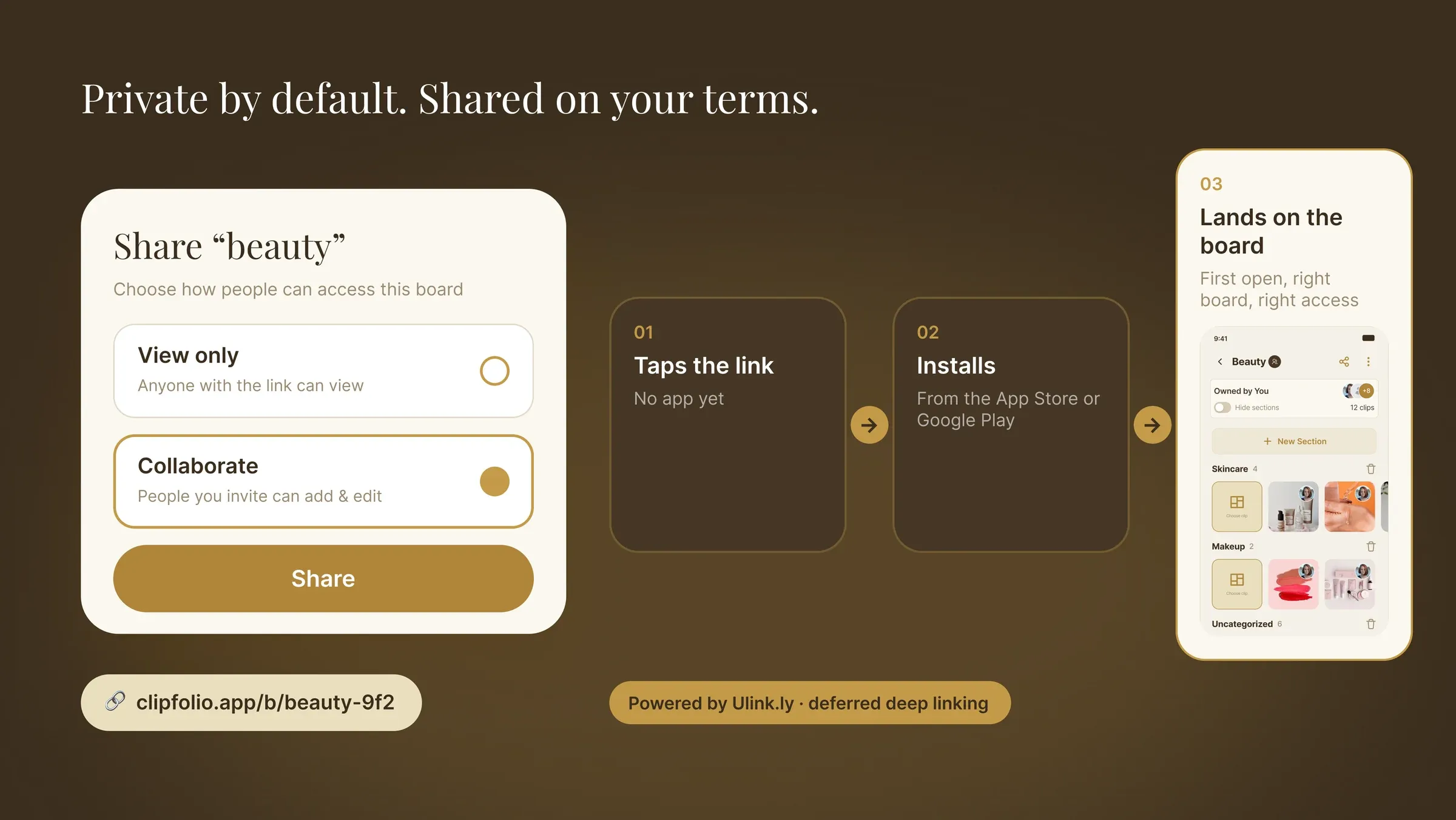
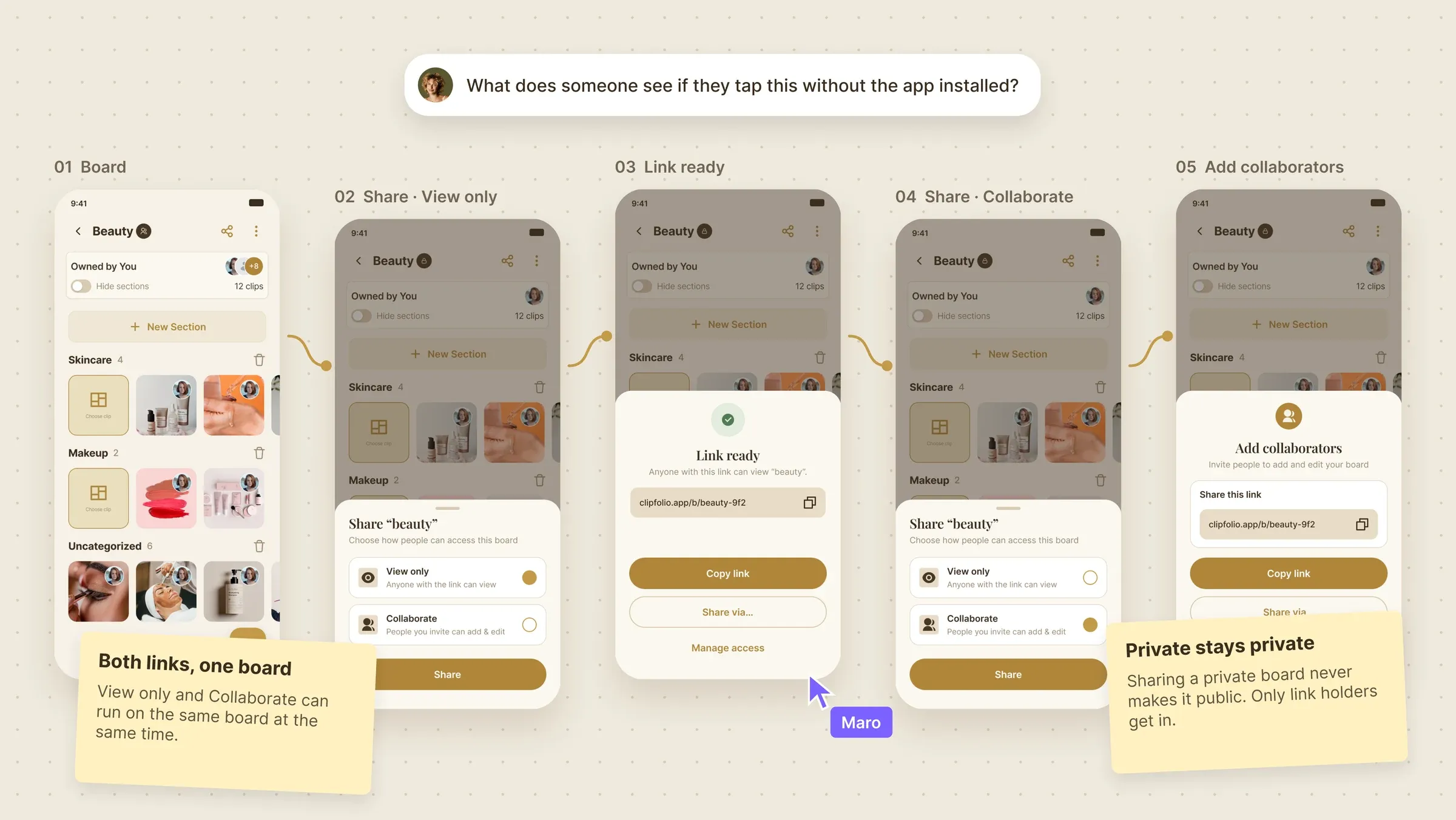
Every board starts private. Sharing a link sets it to View only or Collaborate, and both can run on the same board at once. The flow runs on Ulink.ly, Flywheel’s own deep linking platform: someone without the app taps a shared board, installs, opens it for the first time, and lands directly on that board at the access level they were given.
Built on a modern, scalable foundation
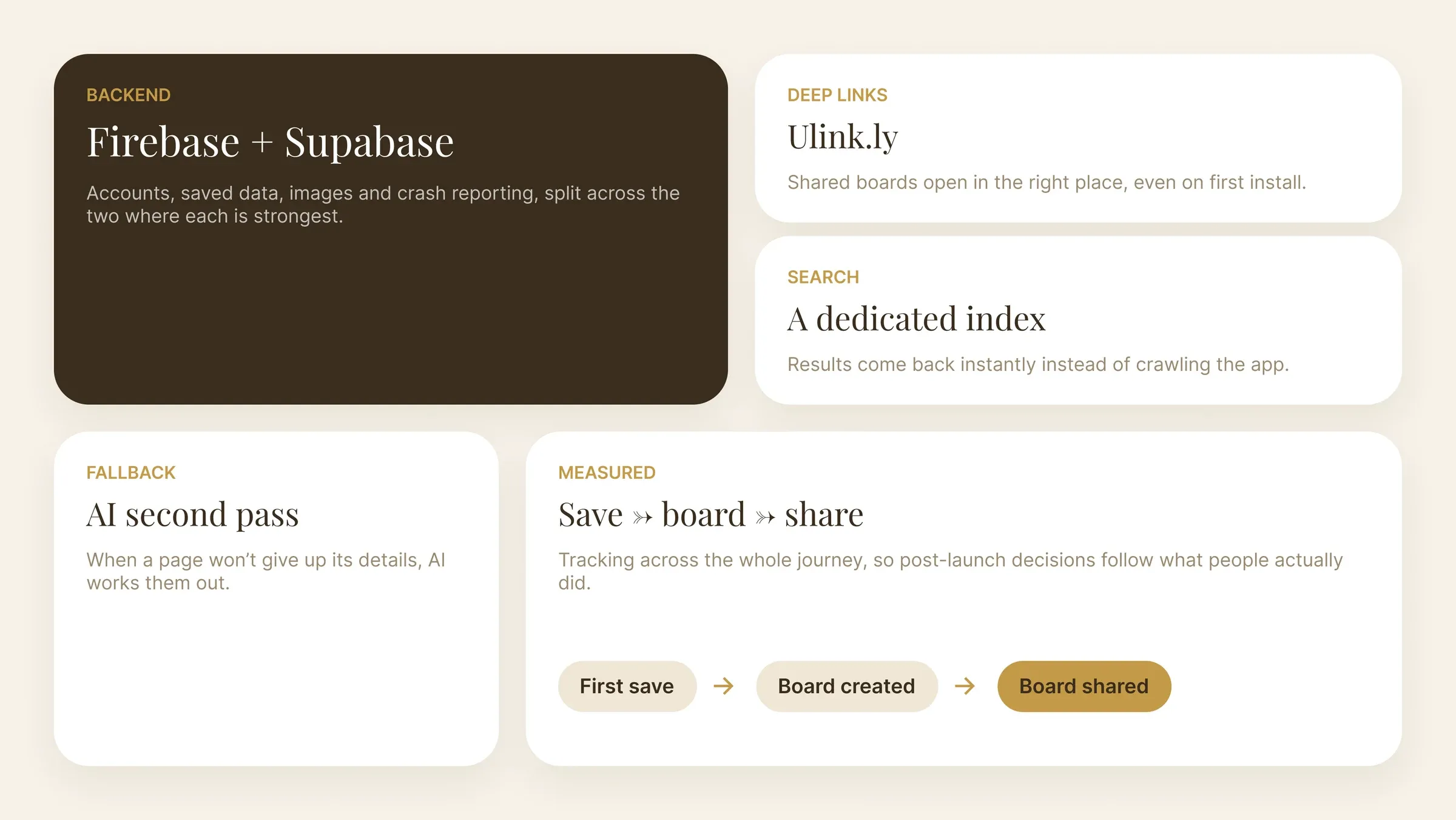
Firebase and Supabase together as the backend, covering accounts, saved data, images, and crash reporting. Ulink.ly for deep links. A dedicated search service so results come back instantly. AI as the backup when a page will not give up its details. Tracking runs across the whole journey, from a first save to creating and sharing a board.
Every sharing state, designed before it was built
Sharing is where Clipfolio grows, so the whole path was drawn end to end: choosing View only or Collaborate, the link-ready state, inviting collaborators, and the board filling up with everyone’s saves. Edge cases like private boards and access changes were annotated as their own states.
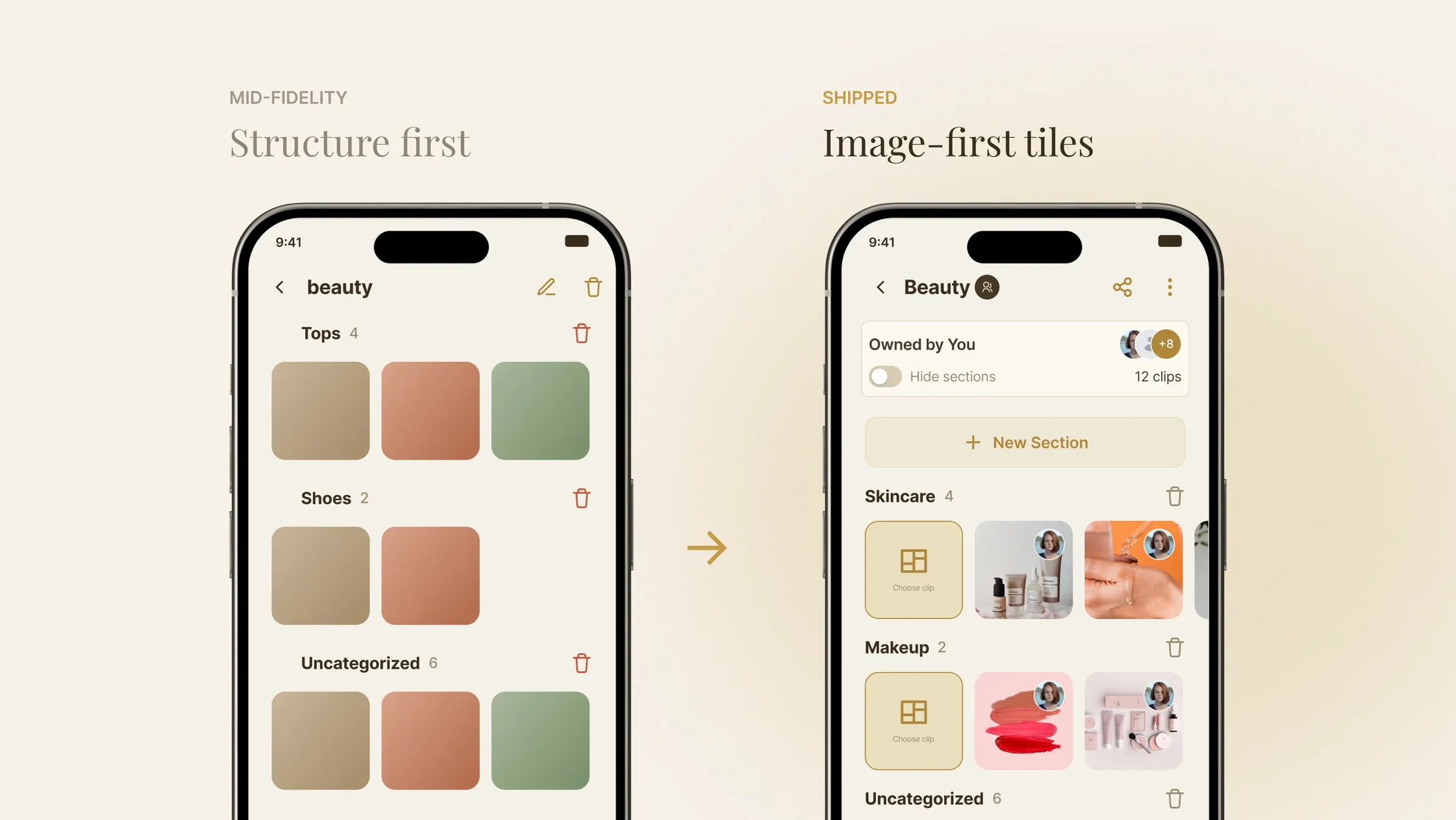
From structure to image-first
Mid-fidelity screens locked the structure (boards, sections, Uncategorized) before any styling. The shipped design swaps grey blocks for image-first tiles, so a board reads like a collection the moment it opens.
A visual identity built for things worth keeping
- Cream#F6F1E8
- Gold#C49A48
- Espresso#3A2D1E
- Sand#EFE7D6
- Gold Wash#EADFBF
What we shipped for Clipfolio.
Clipfolio is live on the App Store and Google Play. The release covers the whole save-to-board journey: saving from any app through the phone’s share menu, details filling themselves in with a safe landing when they cannot, creating and managing boards, notes on individual items, and instant search across everything saved.